
ISHOPMASTER / TUTORIALS & HELP
Learn the work. One task at a time.
Start with the job you want to get done. Short Snap tutorials, real screens and clear next steps for your counter.
START HERE · NO SIGN-UPA sale. A stock check.
A sale. A stock check.
A repair made Ready.
Watch the 2:35 Snap walkthrough before trying the steps yourself.
Watch Snap in action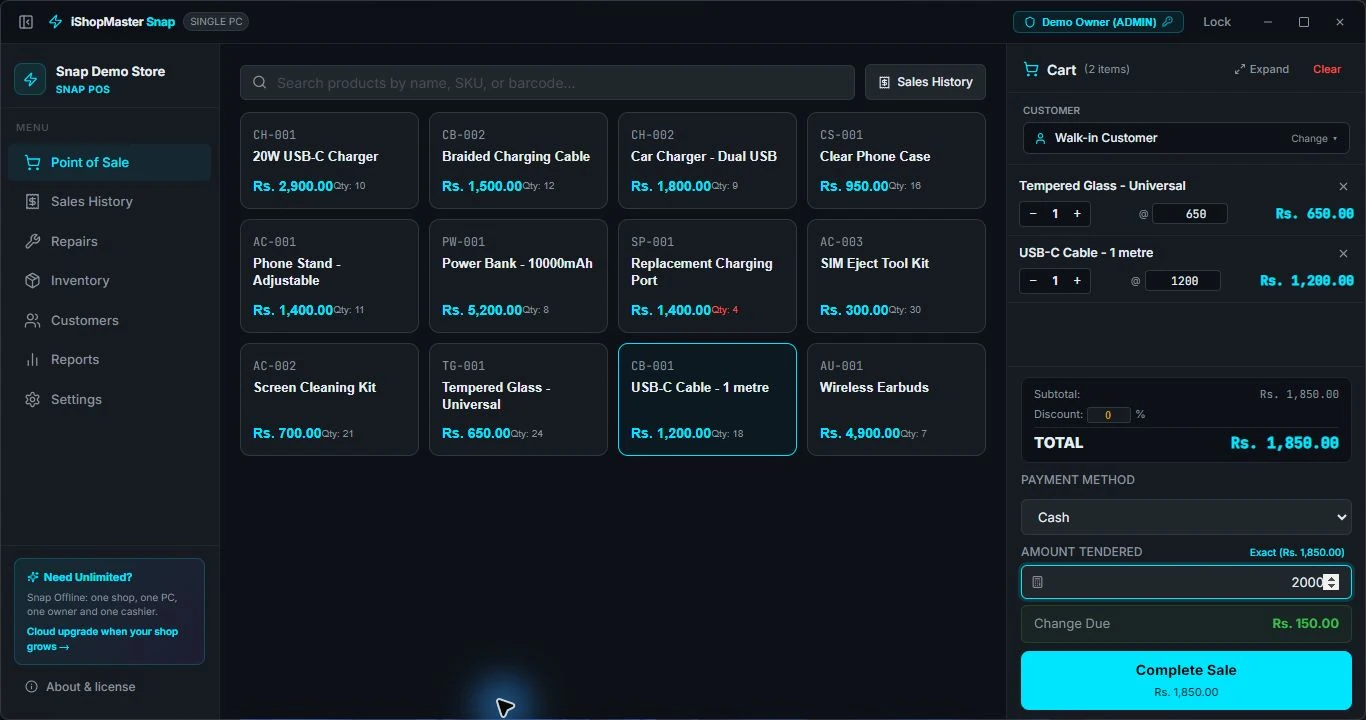
SNAP · WINDOWS DESKTOP
At your shop counter.
Use sample data while learning.
01
3 min read
02Make your first sale in Snap
Add two items, take a cash payment and find the receipt.
Read tutorial3 min read
03Track a repair from intake to Ready
Keep the reported issue, job stage and payment details together.
Read tutorial2 min read
04Check stock and spot items running low
Review product quantities, costs, selling prices and low-stock alerts.
Read tutorial3 min read
Back up Snap before you need a recovery
Save a separate database copy and understand what a restore replaces.
Read tutorialSetting up or
choosing a product?
Understand your edition before importing stock or changing how the shop works.
FOR CLOUD IMPLEMENTATIONS
Technical reference.
Cloud architecture and integrations. Availability depends on your plan and agreed setup.
Platform ArchitectureMulti-tenant SaaS ERP + POS: isolated tenants, multi-branch, modular capabilities.
Inventory EngineIMEI/serial tracking, batch stock, stock movements, availability and valuation.
Accounting EngineReal double-entry ledger, IFRS/GAAP chart of accounts, journals and reports.
Multi-CurrencyBase + transaction currency, exchange-rate engine with historical rates.
Security & ComplianceData isolation, role-based access, audit trail, and protection of sensitive data.
API OverviewREST API, authenticated access, API keys + webhooks, feed-ready catalog data.
Commerce & FeedsCatalog model, product feeds, and marketplace / AI-shopping readiness.