
Snap · Windows · 3 min read
Track a repair from intake to Ready
A job record helps you answer the customer's next question without searching through notebooks or messages.
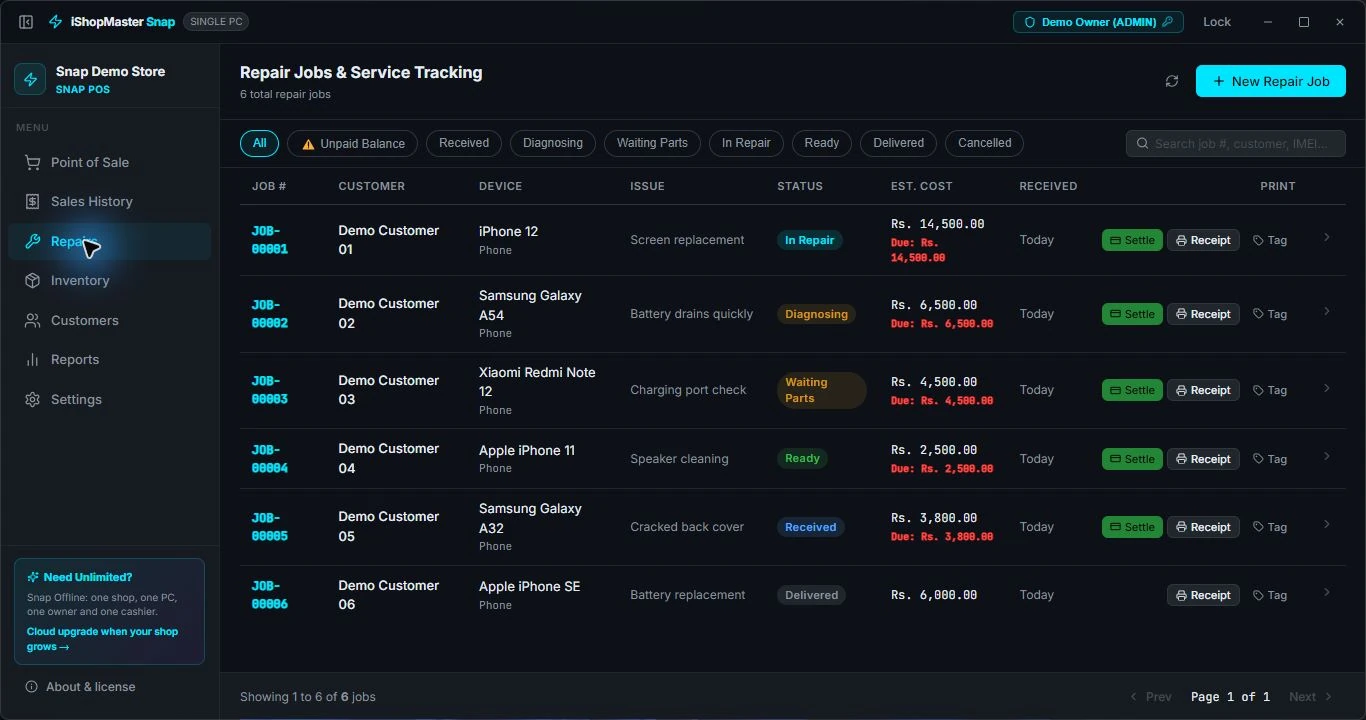
01 / Create the repair record
Open Repairs and select New Repair Job. Record the customer, device and reported issue. Review the estimated charge with the customer.
02 / Find work by stage
Use the status filters to find jobs that are Received, Diagnosing, Waiting Parts, In Repair or Ready.
03 / Review the job
Open a job to see its device, issue, estimated and final cost, payment status and available documents.
04 / Update the status
When the work is complete, use Mark as Ready. In the demo, JOB-00001 changes from In Repair to Ready.
05 / Settle and deliver
Check the agreed final charge and outstanding balance before using the delivery and settlement controls. Confirm the payment details before saving.